
Election Form 7 – Complete Step-by-Step Process
What is Election Form 7?
Form 7 is used to object to or request deletion of a name from the Electoral Roll (Voter List).
It is applicable when:
- A voter has shifted permanently
- A voter has expired
- A name is duplicated
- A person is not eligible to be enrolled
Form 7 is governed under the Representation of the People Act, 1950 and implemented by the Election Commission of India.
Who Should Use Form 7?
You should apply through Form 7 if:
- A family member has passed away
- Someone has permanently shifted to another constituency
- There is duplicate voter registration
- A person is wrongly enrolled in the voter list
- You want to remove your own name after relocation
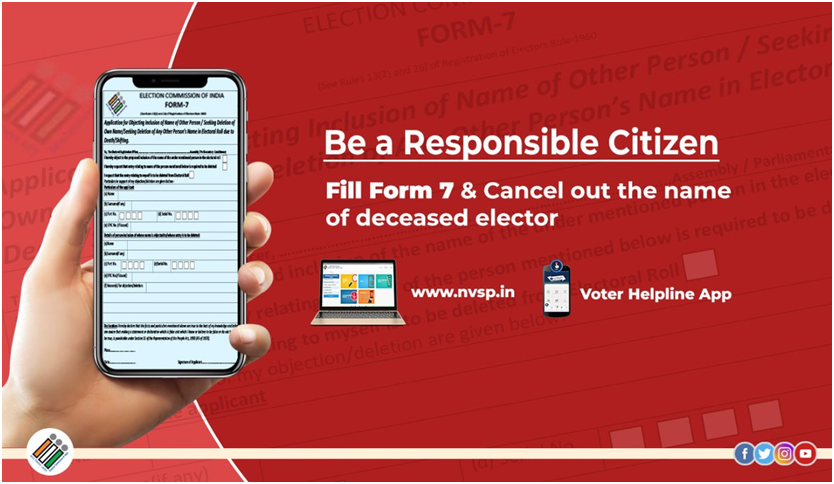
Where to Apply?
You can apply through:
- Online Mode (Recommended)
- National Voters’ Services Portal
Voter Helpline Mobile App
- Offline Mode
Submit the filled Form 7 to:
- Booth Level Officer (BLO)
- Assistant Electoral Registration Officer (AERO)
- Electoral Registration Officer (ERO)
Online Form 7 Application – Step-by-Step Process
Step 1: Visit Official Website
Go to the NVSP portal
Click on “Objection for proposed inclusion / Deletion of name (Form 7)”
Step 2: Login / Register
- Create account using mobile number & OTP
- Login to your dashboard
Step 3: Select Appropriate Option
Choose:
- ❌ Deletion of your own name
- ❌ Deletion of family member’s name
- ❌ Objection to inclusion of another person’s name
Step 4: Enter Details of Voter to be Deleted
You must provide:
- Name of voter
- EPIC Number (Voter ID Number)
- State
- District
- Assembly Constituency
- Reason for deletion
Step 5: Upload Supporting Documents
Documents Required (Based on Reason)
- Death Case
- Death Certificate
- Shifted Case
- Proof of new address
- Duplicate Entry
- Details of duplicate EPIC
- Wrongful Enrollment
- Any proof supporting objection
Step 6: Declaration & Submission
- Confirm correctness of details
- Accept declaration
- Submit application
After submission, you will receive a Reference Number for tracking.
How to Track Form 7 Status?
- Visit NVSP website
- Click “Track Application Status”
- Enter Reference Number
Verification will be conducted by the Booth Level Officer (BLO).
⏳ Processing Time
- Usually processed within 2–4 weeks
- After approval, the name will be removed from Electoral Roll
- Updated voter list will reflect the change
🏢 Offline Application Process
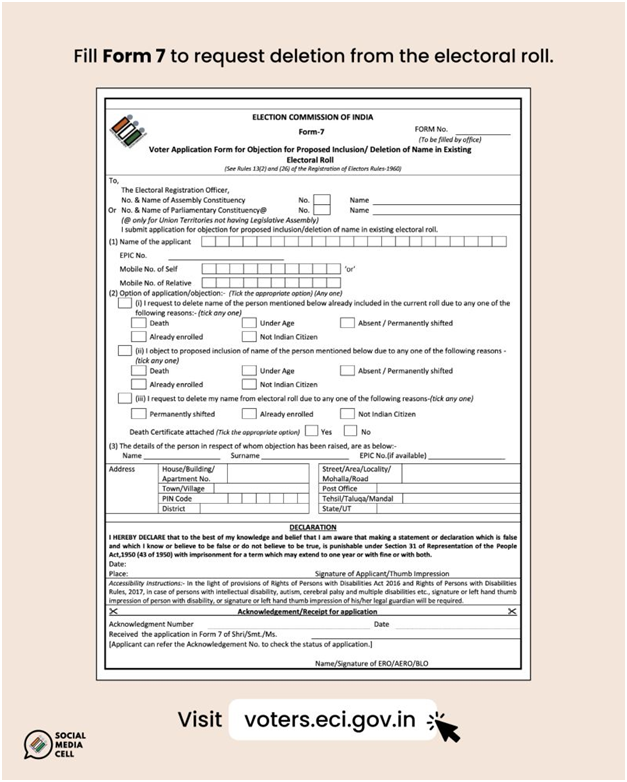
- Collect Form 7 from BLO/ERO office
- Fill the form manually
- Attach supporting documents
- Submit to BLO
- Verification and final approval
Important Points to Remember
- Only genuine cases should be filed
- False objections can attract legal consequences
- Provide correct EPIC number to avoid rejection
- You may receive notice for hearing in objection cases
When NOT to Use Form 7?
- To register as new voter → Use Form 6
- To correct name, age, photo → Use Form 8
- To shift within same constituency → Use Form 8
Why Form 7 is Important?
✔️ Prevents duplicate voting
✔️ Keeps Electoral Roll accurate
✔️ Ensures only eligible voters remain listed
✔️ Strengthens democratic integrity
Form 7 plays a crucial role in maintaining the purity and accuracy of India’s Electoral Roll. Whether due to death, relocation, or duplicate entry, timely deletion ensures fair elections and prevents misuse. Citizens should responsibly use Form 7 whenever necessary to help maintain a transparent and reliable voter database.
Download application forms here